HMI Enclosure Fabrication: Operator Panels, Display Housings and Bezels
HMI Enclosures Anjue Metal | Industrial | 11 min read | Updated Oct 12, 2026
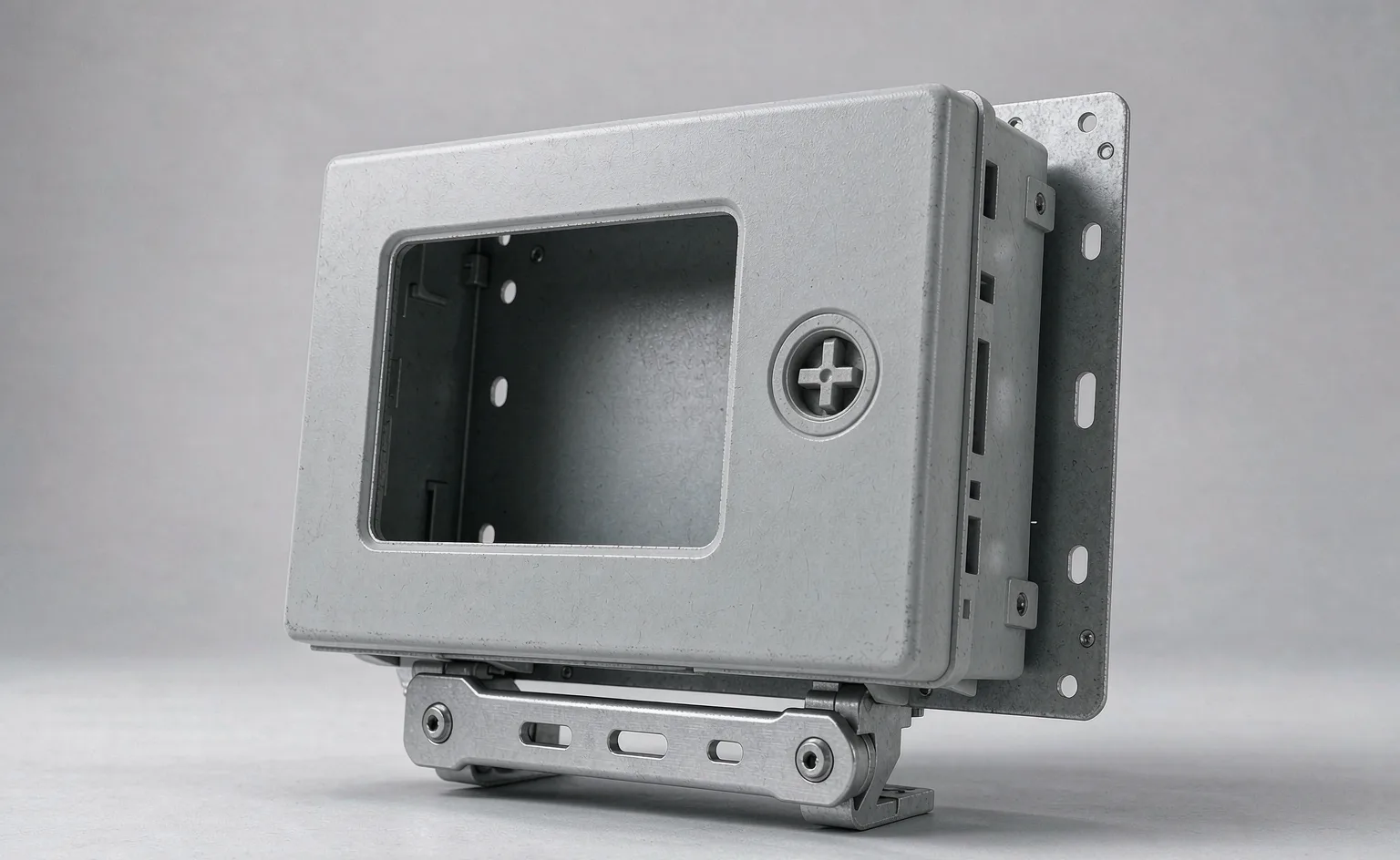
An HMI enclosure exists to put a screen, some buttons and a few connectors in front of an operator without letting the plant environment reach the electronics behind them. That is a sealing and mounting problem more than an electronics one, and it is decided in the metal: the cut-out, the bezel, the gasket line and the joint between the housing and its mounting arm.
- What an HMI Enclosure Has to Deliver
- Formats: Panel-Mount, Enclosure-Mount, Pedestal and Arm
- Display Cut-outs, Bezels and Touch Surfaces
- Sealing the Front Face
- Mounting Systems and the Interfaces
- Materials: Steel, Aluminium and Stainless
- Heat and the Display
- Finish, Printing and Appearance
- First-Article Checks
- Our Approach to HMI Enclosures
What an HMI Enclosure Has to Deliver
| Requirement | What it means in sheet metal |
|---|---|
| Hold the display securely | A flat, dimensionally controlled mounting face |
| Keep the environment out | A gasket line and an evenly compressing bezel |
| Let the operator see and reach | A viewing angle and a surface height that suit the user |
| Carry the connectors | Defined cut-outs with room behind them |
| Route the cables | An entry that can be sealed and a bend radius that is respected |
| Mount to the machine | A mounting interface that matches the arm, pedestal or panel |
Each of these is a dimensional requirement, and each one is easier to hold if it is stated on the drawing rather than agreed by eye.
Formats: Panel-Mount, Enclosure-Mount, Pedestal and Arm
- Panel-mounted. The housing is fixed into a cut-out in a control panel or a machine door, with a gasket behind the face and clamps at the rear.
- Enclosure-mounted. A complete box containing the display and the electronics, mounted to a wall or a bracket.
- Pedestal-mounted. A floor or machine-mounted column with the display head on top, often with an adjustable joint.
- Arm-mounted. A housing on a suspension arm, where weight and the joint stiffness are the limiting factors.
- Handheld and portable. A different problem, closer to an instrument enclosure, where drop resistance and grip matter.
Display Cut-outs, Bezels and Touch Surfaces
- Take the window dimensions from the display drawing, not from the visible area, and agree the tolerance with the display supplier.
- Keep the mounting face flat, so the display does not distort when it is tightened down.
- Provide a flat flange for the display's own gasket where the display is sealed to the face.
- Allow for the display depth, its connectors and the bend radius of the ribbon or cable behind it.
- Where a touch surface is fitted over the screen, provide for its thickness and its edge sealing.
- Where a protective window is used in front of the display, define the spacer and the seal.
Sealing the Front Face
- Use a continuous gasket with no interruption at hinges, clamps or cable entries.
- Provide even compression through a stiff bezel and an adequate number of fixings.
- Keep the gasket groove or flange machined or formed accurately, because a gasket can only seal against a true surface.
- Seal the joint between the housing and the arm or pedestal, which is a commonly overlooked opening.
- Where wash-down is required, design for a water jet rather than for splashes, and expect the requirement to drive the whole front assembly.
Mounting Systems and the Interfaces
- Provide a defined mounting pattern for the arm, pedestal or bracket, with the thread size and depth on the drawing.
- Allow for rotation and tilt where the joint provides it, and keep the housing clear of the machine through the full range.
- Keep the cable route inside or alongside the arm, and provide a strain relief at the housing entry.
- Provide a defined weight limit for the housing, and keep the construction within it.
- Where the housing is panel-mounted, provide rear clamps that suit the wall thickness range on site.
Materials: Steel, Aluminium and Stainless
| Material | Best for | Note |
|---|---|---|
| Painted steel | Panel-mounted and fixed housings | Cheap, stiff, easy to repair |
| Aluminium | Arm and pedestal mounts, thermal path | Light, needs masking for bonding |
| Stainless 304 or 316L | Hygienic and wash-down areas | Cleanable, corrosion resistant, heavy |
| Coated aluminium | Weight plus appearance | Costs more but looks better than bare |
Weight and heat drive the choice more often than cost does on an arm-mounted HMI.
Heat and the Display
- Most HMI loads are low enough that conduction to the housing and internal convection are sufficient.
- Direct sun on a housing behind glass is often the dominant thermal case, so shading and colour matter.
- Where the load is significant, make the housing part of the thermal path, which favours aluminium.
- Keep the display's own temperature limit in mind, because it is often lower than the electronics' limit.
- Provide ventilation only where the environment allows, because a vented housing cannot hold a high protection class.
Finish, Printing and Appearance
- Powder coating for steel and coated aluminium housings, with masked bonding and mounting faces.
- Anodising for aluminium where a durable, metallic finish is wanted, with masked contact areas.
- Printing or engraving for legends, product identification and button labels.
- Anti-glare or textured finishes where the surface is near a light source.
- Keep service fasteners accessible and, where the housing is public-facing, tamper resistant.
First-Article Checks
| Check | Method | Why |
|---|---|---|
| Window dimensions | Measured against the display drawing | The display must fit |
| Flatness of the mounting face | Straight edge, or gauge on the seal path | Display and gasket seating |
| Gasket compression | Feeler gauge or visual | Sealing |
| Mounting pattern | Gauge against the arm or bracket drawing | Fitting the mount |
| Connector cut-outs | Gauge | Cables and connectors |
| Rear clamp range | Trial fit on the panel thickness | Installation |
| Earth continuity | Continuity check | Safety where applicable |
Our Approach to HMI Enclosures
- We fabricate housings, bezels, front frames, rear panels and mounting brackets in steel, aluminium and stainless.
- We cut the display window and connector openings to the component drawings and keep the sealing face flat and true.
- We will tell you when a requested sealing class cannot be met by the proposed bezel and fixing arrangement.
- We do not supply the displays, the touch panels, the computers or the mounting arms, and we do not certify the electromagnetic performance of the finished unit.
- Every quotation states which operations are completed in our plant.
Send the display drawing, the mounting arm details and the environment, and the housing can be built so that the display seals first time and the operator can reach it comfortably.
Frequently Asked Questions
It is the housing around a human-machine interface: a display, a touch surface, indicators and sometimes buttons or a keypad. In its simplest form it is a panel cut-out with a frame around it. In its more complete form it is a sealed front housing mounted on an arm or a pedestal, containing the display, a small computer and the cable entry. The sheet metal scope covers the housing, the bezel, the cut-outs and the mounting interface.
With a defined gasket line and a bezel or frame that compresses it evenly. The seal has to survive cleaning and, in some plants, wash-down. The construction usually places the gasket in a groove or on a machined flat face, and the bezel is fixed with enough fasteners that the compression is even around the perimeter. A bezel fixed at four corners on a long edge will not seal in the middle.
A defined window size with a tolerance that matches the display's own tolerance, a flat mounting face so the display sits without stress, and clearance behind the face for the display's depth and connectors. Where the display has its own gasket, the enclosure provides a clean flat flange for it to seal against, and the cut-out size is taken from the display drawing rather than estimated from the visible screen area.
Because weight matters on an arm or pedestal mount, because aluminium conducts heat away from the display, and because it takes a good anodised or painted finish. Steel housings are common for panel-mounted HMIs where the housing is fixed and the weight is not an issue, and stainless appears in hygienic and wash-down applications.
Displays and the computers behind them generate heat, and a sealed housing cannot dissipate much. In most industrial HMIs the load is low enough that conduction to the housing and natural convection inside are sufficient, but the mounting position matters: an HMI in direct sun behind glass can run far hotter than the same unit in the shade. Where the load is significant, the housing may need to be part of the thermal path, which is an argument for aluminium.
Explore Related Capabilities
- HMI Enclosures — Operator panel and display housings
- Industrial PC & Panel PC Chassis — Panel and fanless computer cases
Have a Drawing to Quote?
Send STEP, DXF or PDF drawings and we reply with engineering feedback and a detailed quotation within 24 hours on working days.