Self-Service Kiosk Enclosure Fabrication: Totems, Terminals and Ticket Machines
Kiosks Anjue Metal | Commercial | 11 min read | Updated Oct 12, 2026
A self-service kiosk is a machine that works unattended in public, which means it has to survive being leaned on, kicked, washed, overheated and, occasionally, attacked. The electronics inside are usually standard; what makes the product work is the enclosure around them, and almost every one of its requirements is a sheet metal requirement.
- What a Kiosk Enclosure Has to Be
- Formats: Freestanding, Wall, Counter and Outdoor
- Structure, Base and Stability
- Screen, Card Reader and Printer Interfaces
- Thermal Management in a Sealed Public Enclosure
- Security, Vandalism and Anti-Tamper
- Cabling, Earthing and Service Access
- Finish and Appearance
- First-Article Checks
- Our Approach to Kiosk Enclosures
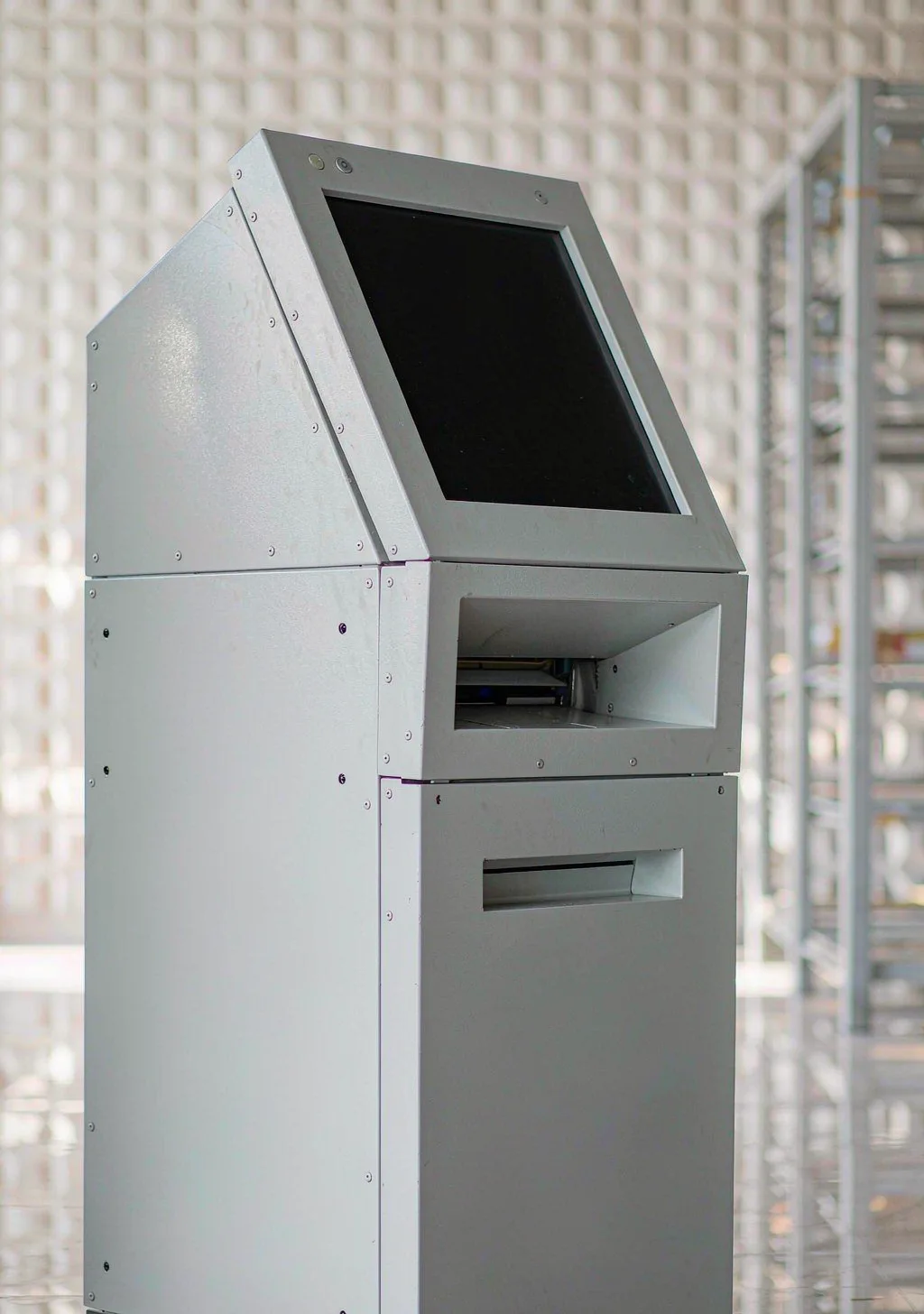
What a Kiosk Enclosure Has to Be
| Requirement | What it means in sheet metal |
|---|---|
| Stand up on its own | A stiff structure and a base that takes the load |
| Present an interface | Cut-outs for the screen, reader, printer and scanner |
| Survive being used | Impact resistance, wear surfaces and security fixings |
| Stay cool | A defined thermal path or a cooling provision |
| Be serviceable | Access to every module without dismantling the kiosk |
| Look like the brand | A finish, a colour and a shape that match the product |
Formats: Freestanding, Wall, Counter and Outdoor
- Freestanding totem. A tall column with the interface at operator height; the base and the structure do the work.
- Wall-mounted. The load path runs into the wall, so the wall type and the bracket decide the design.
- Counter-top. Small, often with a single screen and a reader; weight and finish matter more than structure.
- Outdoor kiosk. Adds weather sealing, drainage, a higher protection class and usually stainless or a heavy coating system.
- Multi-function unit. Combines a terminal with a printer, a cash unit and sometimes a locker; the internal layout becomes the main design problem.
Structure, Base and Stability
- Run the load path from the top of the kiosk to the floor fixings through the frame, not through the decorative panels.
- Provide a base plate or frame with a fixing pattern that suits the floor, and allow for levelling.
- Design for leaning and impact loads, which are usually larger than the equipment's own weight.
- Keep the centre of gravity low where the design allows, particularly for a tall totem.
- Provide lifting or handling points, because a kiosk is installed with machinery.
- Allow for cable entry from the floor, with a defined route and a sealing arrangement.
Screen, Card Reader and Printer Interfaces
- Take the window and aperture dimensions from the module drawings, and hold the tolerance on the interface features.
- Keep the mounting faces flat, so that a screen or a reader is not stressed when it is fixed.
- Provide a replaceable sacrificial window in front of the display where the environment is hostile.
- Design the printer aperture so that a paper jam can be cleared without dismantling the front panel.
- Provide a shroud or a hood over a reader or a slot that faces upward, so that water and dirt cannot collect in it.
- Allow access from the rear or the side so that modules can be replaced in service.
Thermal Management in a Sealed Public Enclosure
- Treat the enclosure as sealed unless the environment genuinely allows filtered air.
- Match the cooling method to the environment first and the load second.
- Remember that a screen in direct sun adds a load the electronics did not create.
- Use a light colour and shading where the kiosk faces the sun.
- Provide a filter change interval in the documentation if a filter fan is used.
- Allow for condensation on a kiosk that cools overnight, particularly in a humid climate.
Security, Vandalism and Anti-Tamper
- Use security fasteners on every externally accessible fixing.
- Recess the locks, the hinges and the fixings so that a lever has nothing to catch.
- Stiffen the exposed faces with returns and closed sections rather than by adding thickness everywhere.
- Protect the cash and card modules with an internal safe or a reinforced compartment where the application requires it.
- Design wear parts to be replaceable, including the window, the reader bezel and any exposed trim.
- Provide a door stop and a lock that cannot be defeated by flexing the door.
Cabling, Earthing and Service Access
- Provide a defined route for power, network and any peripheral cabling, with separation where required.
- Provide strain relief at every entry and at every module.
- Bond the doors and removable panels to the earth bar.
- Keep the power supply and the electronics accessible without removing the kiosk from the floor.
- Label the interior, because service is often carried out by a technician who has not seen the kiosk before.
Finish and Appearance
- Powder coating in the brand colour, with masked bonding and mounting faces.
- Stainless where the environment or the application demands it, brushed or with a defined grain.
- Printed or engraved legends, applied or produced after coating.
- Wear-resistant trim at the points the public touches, since these are the first places to look tired.
- Keep service fasteners hidden behind a removable trim panel where the design allows.
First-Article Checks
| Check | Method | Why |
|---|---|---|
| Interface apertures | Gauge against the module drawings | Modules must fit |
| Mounting face flatness | Straight edge | Screens and readers seat correctly |
| Structure and base | Load or lean test where specified | Stability |
| Door fit and locking | Open, close and lock test | Security and service |
| Thermal provision | Aperture measured against the device drawing | Cooling |
| Earth continuity | Continuity check | Safety |
| Finish and trim | Visual | Appearance and wear |
Our Approach to Kiosk Enclosures
- We fabricate frames, bodies, doors, front panels, bezels, base frames and mounting brackets in steel, aluminium and stainless.
- We cut the module interfaces to the component drawings and keep the mounting faces flat and the service access practical.
- We will say when a requested cooling method and a requested protection class cannot both be met in the proposed construction.
- We do not supply the screens, card readers, printers, cash units or computers, and we do not certify the payment or safety functions of the terminal.
- Every quotation states which operations are completed in our plant.
Send the module drawings, the mounting conditions and the environment, and the enclosure can be built around the interface rather than the interface being adapted to the enclosure.
Frequently Asked Questions
Coated steel is the usual choice for the body, because it is stiff, economical and can be finished in any colour. Stainless appears in outdoor, coastal and hygiene-critical installations, and aluminium is used where weight matters, such as wall-mounted or counter-top units. The material choice follows the exposure and the mounting, exactly as it does for any other enclosure.
By treating it as a sealed enclosure with a heat load and deciding early how that heat leaves. Many kiosks are cooled by a filtered fan, which is cheap but needs a filter change interval; others use a closed-loop exchanger or a cooling unit where the environment is dusty or the load is high. A screen in direct sun adds a significant load that has nothing to do with the electronics, so shading and colour are part of the thermal design.
With a sacrificial window in front of the display, mounted in a frame that can be replaced without dismantling the kiosk, and with a bezel that keeps water and fingers away from the display's own edge. Where the kiosk is outdoors or in a vandal-prone location, the window is often laminated or chemically strengthened. The frame that holds it is a sheet metal part, and its sealing and its fixing method decide how well the whole front face performs.
Each is a module with its own interface drawing, and each becomes a cut-out with a defined tolerance and a mounting arrangement behind the panel. The important discipline is to take the dimensions from the module drawings rather than from the visible apertures, and to provide access so that a module can be replaced in service without removing the kiosk from its base.
A freestanding kiosk does, both for stability under a person leaning on it and for security. The base needs a fixing pattern that suits the floor, and the load path from the top of the kiosk to the floor should run through the structure rather than through the panels. A tall kiosk on a small base plate is a stability problem regardless of how heavy the base looks.
Explore Related Capabilities
- Kiosk & Locker Enclosures — Terminals, kiosks and smart lockers
- Custom Sheet Metal Enclosures — OEM housings built to a drawing
Have a Drawing to Quote?
Send STEP, DXF or PDF drawings and we reply with engineering feedback and a detailed quotation within 24 hours on working days.