Network Cabinet Cable Management, Earthing and Front-to-Back Access
Network Cabinets Anjue Metal | Data Centre | 10 min read | Updated Oct 13, 2026
A cabinet full of active equipment is, from the installer's point of view, mostly a cable problem. If the cables have nowhere to go, they cross the airflow, block the doors and turn every future change into an archaeology project. Cable management and earthing are not accessories added to a cabinet; they are the reason the cabinet has the depth, the openings and the metalwork that it does.
- Cable Management Is Why the Cabinet Has Depth
- Entry, Entry Plates and Strain Relief
- Vertical and Horizontal Routing
- Slack, Service Loops and Future Change
- Separating Power, Data and Fibre
- Bonding and Earthing
- Airflow, Doors and the Hot Aisle
- Front and Rear Access
- Checks on the Build
- How We Approach Cabinet Cable and Earth Provision
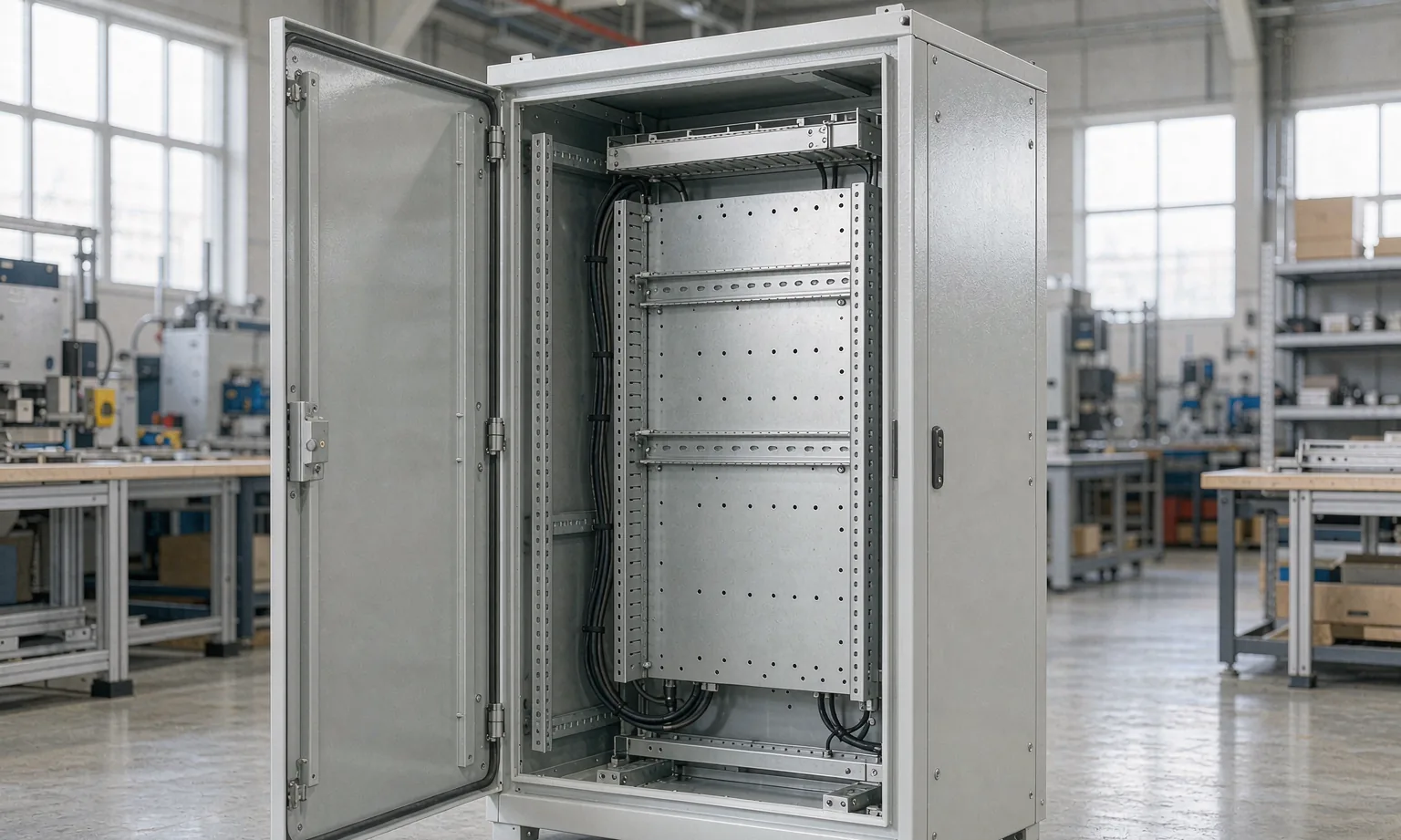
Cable Management Is Why the Cabinet Has Depth
| Cabinet feature | Driven by cable needs |
|---|---|
| Depth | Bend radii, rear connector clearance, cable route |
| Roof and base openings | Entry and exit routes |
| Side space | Vertical cable management |
| Door clearance | Cables must not be crushed when it closes |
| Removable panels | Access to route and re-route |
| Bonding points | Earth continuity for every panel |
| Labelling space | Identification of circuits and paths |
Entry, Entry Plates and Strain Relief
- Provide removable gland plates at the top and, where the site needs it, at the base.
- Size the entry for the cables plus spare, and keep the spare blanked.
- Provide strain relief at every entry, so that a pulled cable does not load a connector inside.
- Seal or brush the entry to limit air and dust transfer, especially where the cabinet sits in an airflow system.
- Keep the inside route from the entry to the first tie point defined, rather than leaving it to the installer.
Vertical and Horizontal Routing
- Provide vertical management on both sides, sized for the initial fill with margin.
- Provide horizontal routing at the top and bottom of each unit space, so a patch does not have to cross a face.
- Keep cables to the side of the equipment, not in front of it.
- Use radius limiters or guides where a cable would otherwise bend tighter than allowed.
- Provide tie points at sensible intervals, and never over-tighten a bundle.
Slack, Service Loops and Future Change
- Leave service loops at each end, long enough to pull a unit forward without disconnecting.
- Keep slack organised, not bundled into the airflow path.
- Provide space so that a future cable can be added without re-routing the existing ones.
- Route fibre with its own bend-radius discipline, which is stricter than copper.
- Record the route and the slack so that a later technician can follow it.
Separating Power, Data and Fibre
- Keep power and data physically separated along their runs, and maintain the separation through the entry.
- Route fibre away from sharp edges and from anything that moves.
- Where separation cannot be achieved, use the mitigation the electrical design specifies.
- Keep high-current cables away from signal bundles at the rear panel.
- Mark the separation requirement on the build, because it is invisible once the cabinet is full.
Bonding and Earthing
- Provide a main earth bar or terminal, sized and labelled for the installation.
- Bond every removable panel, door and gland plate with a dedicated conductor.
- Mask bonding faces before coating, so that the coating does not become the insulator.
- Keep bonding accessible for testing, and record the points on the drawing.
- Use hardware suited to the environment, particularly where the cabinet is in an industrial or coastal space.
- Bond cable trays and ladder racks where the installation design requires continuity between them.
Airflow, Doors and the Hot Aisle
- Keep the front and rear faces clear for air and for access.
- Provide brush or blanking provisions at unused unit spaces where the design calls for them.
- Remember that a full-height door of mesh or perforated metal still needs its frame to be stiff.
- Keep cable bundles out of the intake, because a bundle across an intake changes the airflow of the row.
- Provide space above and below where a cabinet is part of a hot-aisle or cold-aisle arrangement.
Front and Rear Access
- Decide early whether front-only or front-and-rear access is required, because it changes the door and the frame.
- Provide doors that open fully when the surrounding cabinets are installed and loaded.
- Provide locks and handles that suit the site's security requirement, and provide a keyed-alike or numbered scheme if asked.
- Keep service items reachable without removing the cabinet from the row.
- Provide labelling positions on the frame, because identification is part of service access.
Checks on the Build
| Check | Method | Why it matters |
|---|---|---|
| Entry plates and seals | Fit with a sample cable | Weather and dust protection |
| Routing space | Visual against the layout | Airflow and access |
| Bonding continuity | Continuity check on all panels | Safety |
| Door operation | Full swing with cables fitted | Access |
| Earth bar labelling | Visual | Service and testing |
| Frame squareness | Diagonal measurement | Doors and panels fit |
| Finish at bonding faces | Visual, masked before coating | Earth continuity |
How We Approach Cabinet Cable and Earth Provision
- We fabricate frames, doors, side and roof panels, gland plates, cable management brackets, earth bars and mounting rails in steel and stainless.
- We hold the openings, mounting patterns and bonding points to the arrangement drawings you supply.
- We will tell you when a requested cable volume, a requested airflow arrangement and a requested cabinet depth cannot all be met at once.
- We do not supply the PDUs, fans, cable managers, active equipment or the cabling itself, and we do not carry out the electrical installation or testing.
- Every quotation states which operations are completed in our plant.
Send the cable schedule, the airflow arrangement and the earthing requirement, and the cabinet can be built with the paths and the bonding already in it.
Frequently Asked Questions
More than the first installation needs. Cables are added, replaced and re-routed far more often than the original design anticipates, and every addition needs a path. As a working approach, size the vertical and horizontal management for the initial fill plus a clear margin, and keep at least one spare entry and one spare route for power and for data. The exact allowance follows the cable count and the bend radii, which is why we ask for both rather than a general rule.
Wherever keeps them away from the airflow you are trying to protect and out of the door swing. Top entry through a roof gland plate suits most cabinets, with bottom entry through the base where the cable route comes from below. What matters more than the choice is that the entry is a proper plate, removable and sealable, with strain relief and a route on the inside that does not cross the front of a component.
Because the cabinet is a metal enclosure holding many items of powered equipment, and every one of them relies on a path to earth. Doors, side panels, roof panels and gland plates all have to be bonded, and bonding through hinges or through a painted face is not a reliable path. A cabinet that is bonded properly is also easier to test, which matters when an installation is audited.
By giving them their own space. Separate vertical and horizontal cable paths, kept to the side of the equipment rather than in front of it, allow air to move through the equipment as designed. Where the cabinet is part of a hot-aisle or cold-aisle arrangement, that separation is essential, because a bundle of cable across the front of a unit changes the airflow of the whole row.
No. We fabricate the enclosure and its structural and mounting parts. The PDUs, fans, cable managers, panels and the active equipment are supplied by others and mount to features we provide. Every quotation states which operations are completed in our plant.
Explore Related Capabilities
- Network & Server Cabinets — Frames, doors and accessories for IT equipment
- Cabinet Frames & Structural Parts — Frames, bases and load-bearing members
Have a Drawing to Quote?
Send STEP, DXF or PDF drawings and we reply with engineering feedback and a detailed quotation within 24 hours on working days.