Rack Chassis Cooling and EMI Shielding: How to Specify Both Together
Rack and Chassis Anjue Metal | Data Centre | 11 min read | Updated Oct 12, 2026
Airflow and shielding pull in opposite directions. Every hole that lets air through also lets electromagnetic energy out, so a rack chassis design is a negotiation between two requirements that are usually written by two different people. Treating them as one problem from the start is what keeps the design from being reworked at the first test.
- Why Airflow and Shielding Conflict
- Specifying Airflow from the Requirement, Not the Fan
- Vent Patterns and Open Area
- Shielding, Apertures and Joints
- Bonding and Grounding Continuity
- Internal Layout for Thermal and EMC Performance
- Materials and the Shielding Consequence
- Verification: What to Check and When
- A Short Brief That Gets a Good Design
- Our Approach to Cooling and Shielding
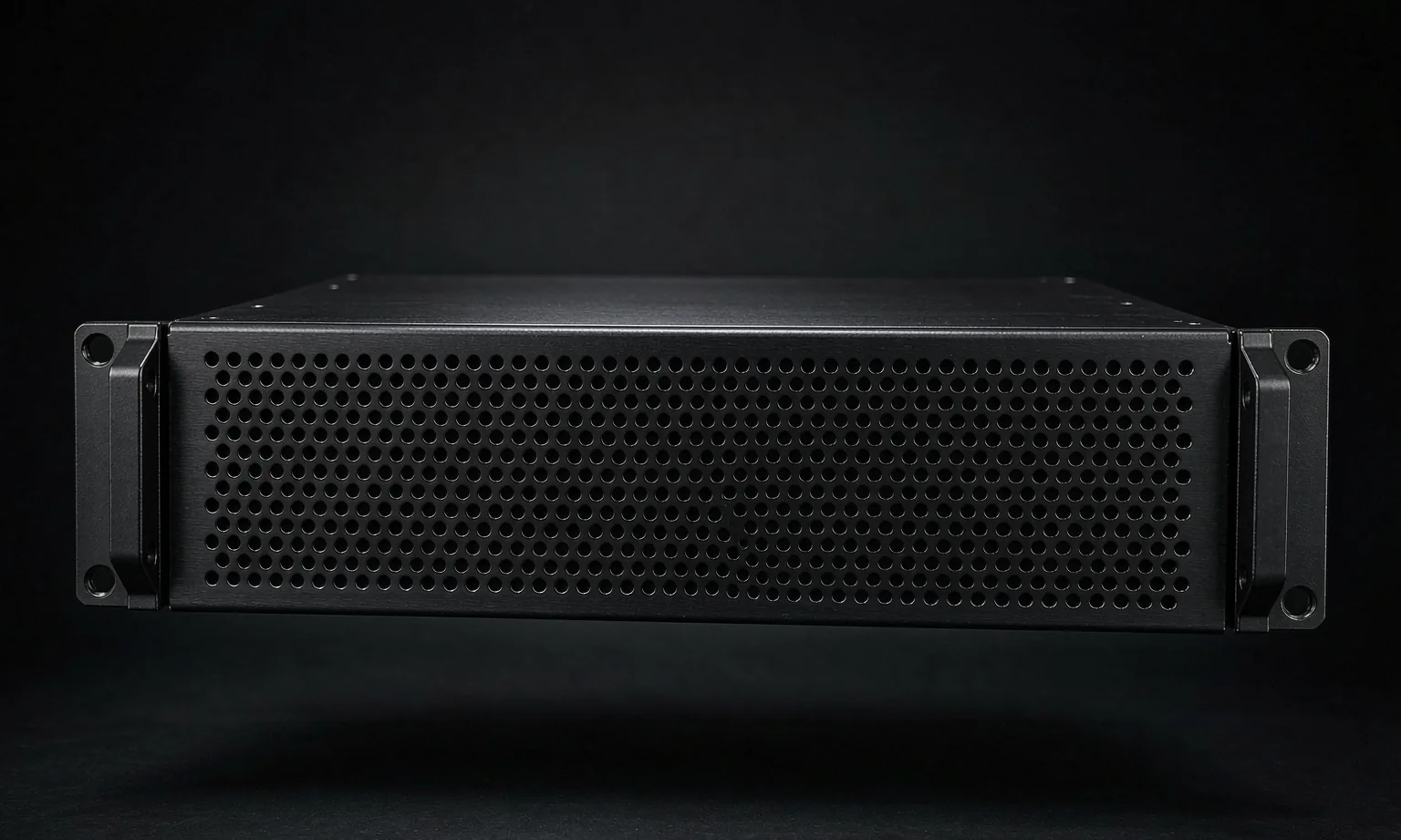
Why Airflow and Shielding Conflict
A chassis is a container for two things that want opposite walls. The electronics want as much open area as possible for air; the electromagnetic environment wants as little as possible. Both requirements land on the same panel.
| Requirement | What it wants | Where it lands |
|---|---|---|
| Airflow | Open area, short restrictive paths | Vent panels, fan apertures |
| Shielding | Continuous conductive surface, small apertures | Every panel and joint |
| Mechanical | Stiffness without weight | Returns, bulkheads, folded edges |
| Service | Access to components | Covers and removable panels |
Because they compete, the specification should state the requirement of each and leave the reconciliation to the designer. A brief that names only a fan model has already removed most of the design freedom.
Specifying Airflow from the Requirement, Not the Fan
Start with the dissipation and the maximum inlet temperature, and derive the airflow from them. Only then choose the fan.
- State the heat load at worst case, not the nominal load.
- State the maximum inlet air temperature, which for a rack is often the temperature at the bottom of the cabinet rather than the room temperature.
- Allow for the pressure drop of the vent patterns and the filters; a chassis with a restrictive path delivers much less than the fan's free-air rating.
- Decide front-to-back, side-to-side or bottom-to-top early, because it decides where the vents go and how the internal layout is arranged.
- Provide a bypass path past tall components rather than forcing all the air through the tightest gap.
*Note* the difference between free-air delivery and system delivery is the single most common reason a chassis runs hotter than predicted.
Vent Patterns and Open Area
- Perforated panels are the general-purpose answer: good open area, predictable pressure drop, reasonable shielding above the aperture resonance.
- Honeycomb vents give high open area with strong attenuation at high frequency, at the cost of cost and cleanability.
- Louvres protect against drips and fingers but restrict airflow noticeably and shield poorly.
- Slot patterns are easy to produce but a long slot is a better antenna than the same area of small holes.
- Vent placement should avoid short-circuiting air straight from inlet to outlet without crossing the hot components.
Shielding, Apertures and Joints
Shielding effectiveness is limited by the largest aperture and by the quality of the joints, not by the thickness of the metal.
- Keep the largest dimension of any single aperture as small as the requirement allows.
- Use many small apertures rather than one large one for the same open area.
- Bring covers down onto a conductive frame, and space the fixings closely enough that the seam behaves as a continuous contact rather than a slot.
- Specify conductive gaskets at removable joints where the requirement is demanding.
- Keep seams away from the highest-current or highest-frequency loops.
Bonding and Grounding Continuity
A shielded chassis only works if all of its parts are at the same potential.
- Mask contact areas before coating so that joints are metal-to-metal.
- Use bonding straps across hinges, sliding covers and any joint that cannot be made conductive directly.
- Provide a defined chassis earth stud, sized and positioned on the drawing.
- Check continuity after finishing, because a good coat of powder is an excellent insulator.
- Where the chassis slides into a rack, bond it to the rack as well as to its own covers.
Internal Layout for Thermal and EMC Performance
The internal arrangement decides how much of the available airflow actually does useful work.
- Put the highest-dissipation components first in the air path, but downstream of any component with a temperature limit.
- Keep cabling away from the vent path where it would obstruct flow.
- Route high-frequency cabling away from apertures and along the chassis rather than across it.
- Leave space for a mid-plane or a divider that separates a noisy zone from a sensitive one.
- Plan the fan mounting so that the fan frame itself does not cover a large part of the vent it is drawing through.
Materials and the Shielding Consequence
| Material | Shielding | Practical note |
|---|---|---|
| Cold-rolled steel | Good | Conductive, magnetic, cheap; the default |
| Zinc-coated steel | Good | Conductive at cut edges, good corrosion |
| Stainless steel | Good | Conductive, corrosion resistant, more costly |
| Aluminium | Good if joints are bonded | Anodised surfaces are insulating |
| Coated or painted steel | Poor at the joint | Mask contact areas |
Materials are rarely the limiting factor. The joints are.
Verification: What to Check and When
- At the drawing stage: confirm that the vent area, the fan curve and the pressure drop are consistent.
- At the first article: check vent open area, aperture sizes, joint contact, gasket compression and earth continuity.
- At thermal test: measure the actual temperature rise against the predicted case, and check the air temperature at the inlet of the hottest component.
- At EMC test: the enclosure is only one variable, so agree in advance who owns the cable routing and the filter placement.
A Short Brief That Gets a Good Design
1. Dissipation at worst case and the maximum inlet temperature. 2. Required airflow direction and any acoustic limit. 3. Shielding requirement: the standard, the frequency range and the attenuation target. 4. Environment and required finish. 5. Mounting standard, rail type and unit height. 6. Volumes and the expected design freeze point.
Our Approach to Cooling and Shielding
- We fabricate the vent patterns, honeycomb apertures, masks and bonding features that deliver both airflow and attenuation.
- We dimension the mounting and interface geometry so that fans, filters and shielded gaskets land where the drawing says they will.
- We will tell you when a requested vent area and a requested attenuation are mutually exclusive at the proposed aperture size.
- We do not perform EMC certification testing, and we do not design the electrical filtering; these are handled by the equipment designer and an independent test house.
- Every quotation states which operations are completed in our plant.
Send the dissipation figure, the shielding requirement and the rack standard, and the two constraints can be designed together rather than fought over later.
Frequently Asked Questions
It depends on the dissipation inside it and on the air temperature available, so the requirement should be stated as a dissipation figure and a maximum inlet temperature rather than as a fan size. Once those two numbers are on the table, the open area, the fan curve and the pressure drop through the chassis can be worked out in the right order. A design that starts from a fan and works backwards usually ends up with too little open area.
They have to be small relative to the wavelength of the highest frequency of concern. The practical consequence is that above a certain frequency, a slot or a hole behaves as an antenna and the shielding effectiveness falls away. Honeycomb and perforated vents with many small apertures shield far better than a single large opening of the same total area, which is why they are the standard solution for high-airflow, high-shielding chassis.
Broken conductivity. A chassis shields because its parts form a continuous conductive enclosure, and that continuity is lost at a painted joint, a gasket that has been omitted, a screw that does not bond two panels, or a cover that only contacts the frame at two corners. The metal is rarely the problem; the joints almost always are.
Yes, provided the joints are conductive. Aluminium conducts well, but an anodised or painted surface does not, so an anodised chassis needs masked contact areas, conductive gaskets or bonding straps at the joints. This is a drawing decision, and it is much cheaper to make it at the drawing stage than to strip and re-anodise a production batch.
As a small set of measurable requirements: dissipation, maximum inlet temperature, any acoustic limit, the shielding standard and frequency range, and the environment. Everything else about the airflow path and the joint detailing should be left to the fabricator, who can then optimise rather than guess.
Explore Related Capabilities
- Rack & Data Centre Enclosures — Chassis with venting and shielding features
- 19" Rack Chassis & Cases — Vented rack cases and front panels
Have a Drawing to Quote?
Send STEP, DXF or PDF drawings and we reply with engineering feedback and a detailed quotation within 24 hours on working days.